# Creating Menu

1\. From the '**Appearance**' menu on the left-hand side of the Dashboard, select the '**Menus**' option to bring up the **Menu Editor**.

![](https://content.gitbook.com/content/XyhD6Qeois9Jj44EiuZd/blobs/pL2HRhtk2eGe8HmwvN3R/image5.png)

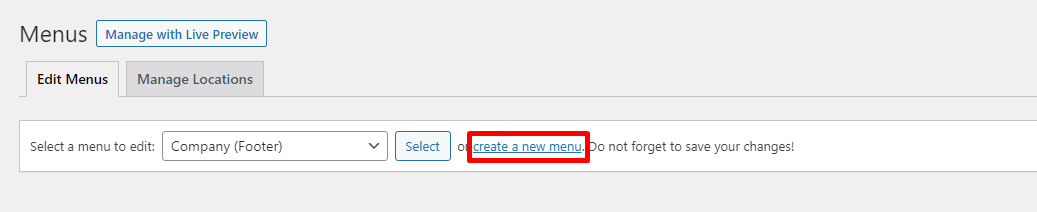
2\. Select **create a new menu** at the top of the page

<figure><img src="https://content.gitbook.com/content/XyhD6Qeois9Jj44EiuZd/blobs/7dmDqIc0jHO0pGuHjqK9/image.png" alt=""><figcaption></figcaption></figure>

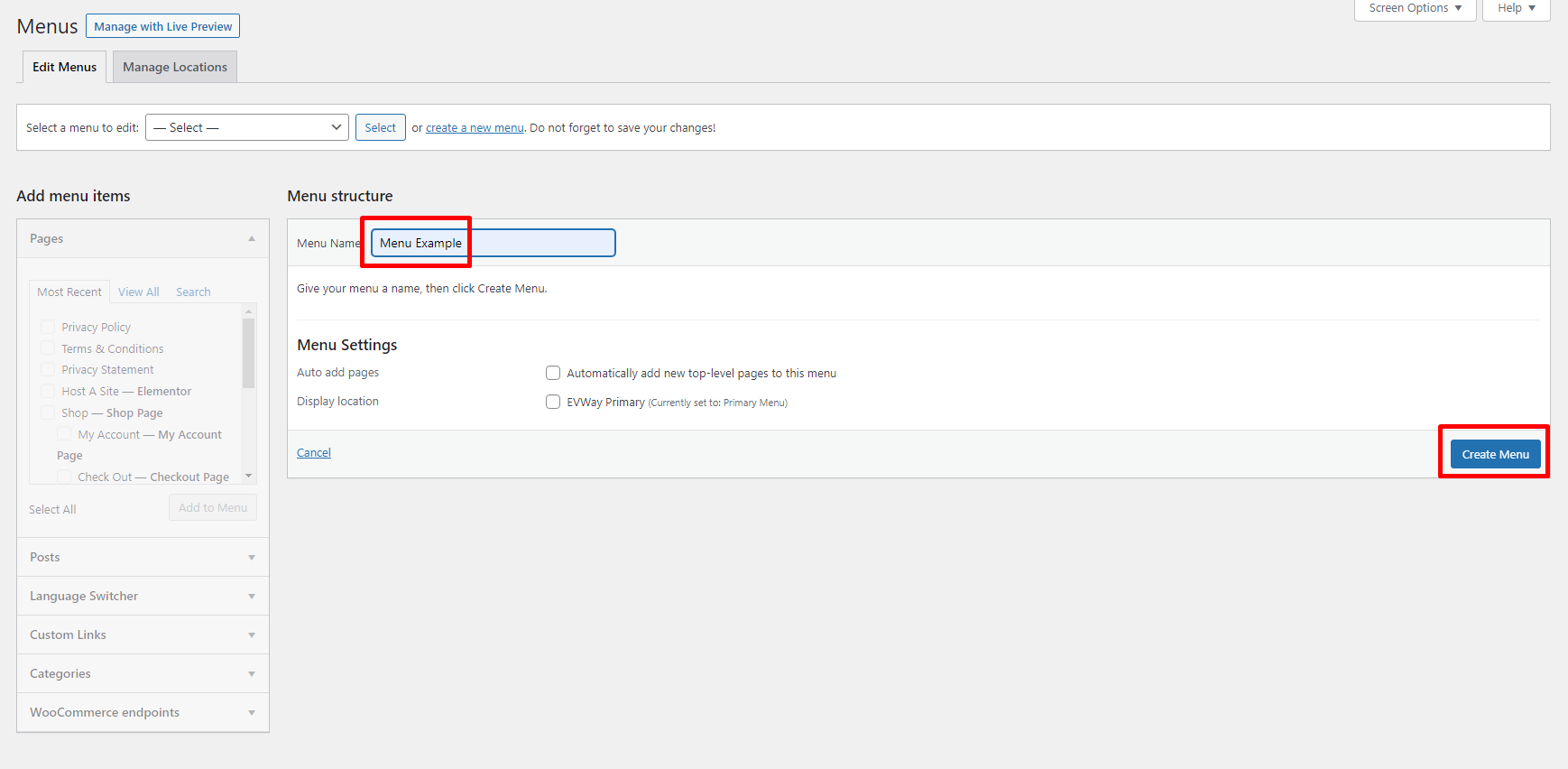
3\. Enter a name for your new menu in the **Menu Name** box.

4\. Click the **Create Menu** button.&#x20;

<figure><img src="https://content.gitbook.com/content/XyhD6Qeois9Jj44EiuZd/blobs/5zncS51o7m9Ck9Dq9Fz2/image.png" alt=""><figcaption></figcaption></figure>

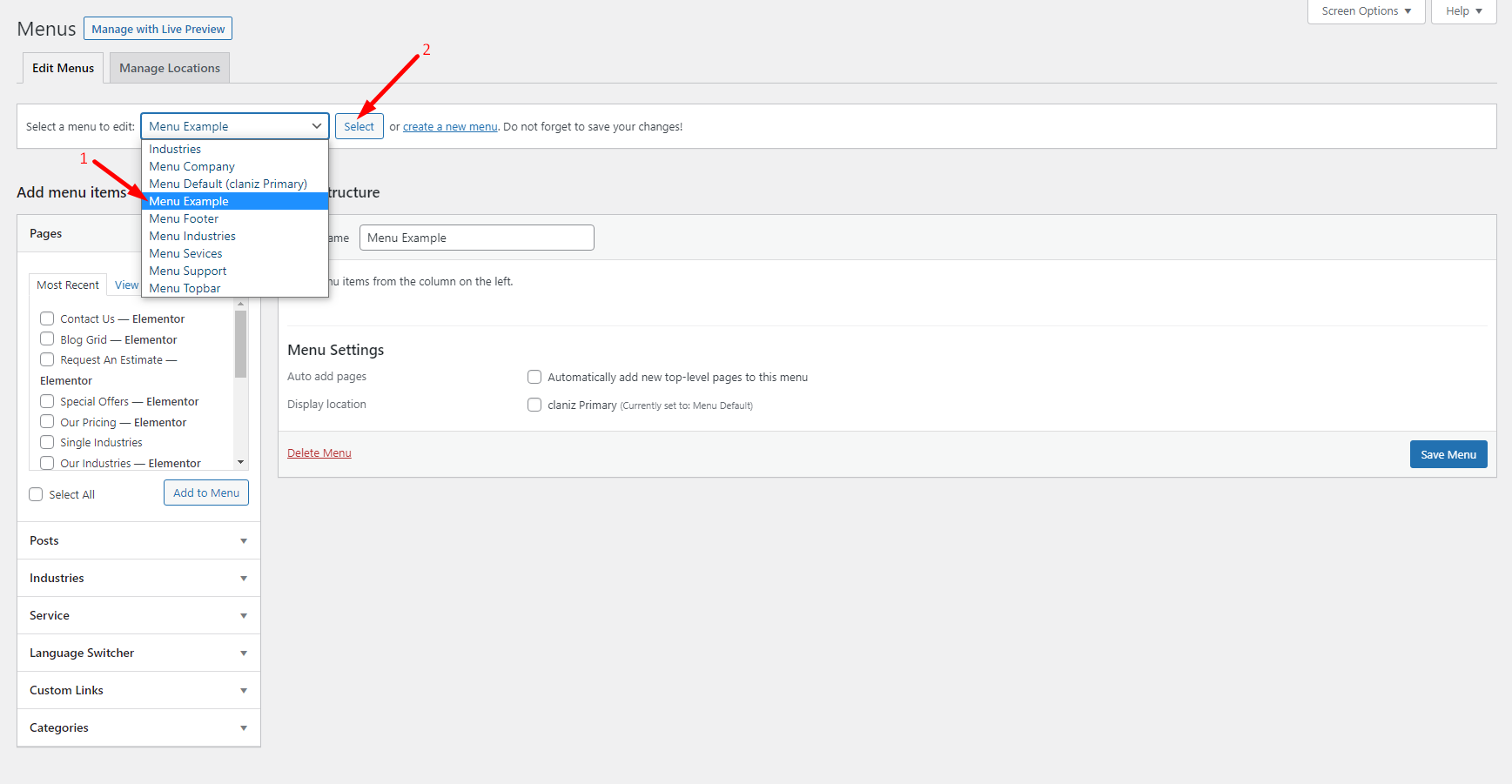
5\. Click **Select** button to select the menu created.

<figure><img src="https://content.gitbook.com/content/XyhD6Qeois9Jj44EiuZd/blobs/dge2dM2RgIMoyeHmOO6s/image.png" alt=""><figcaption></figcaption></figure>

Your new custom menu has been defined.